


MythicMobs Custom Boss Tutorial for Survival Servers
Posted 2 hours ago
How do you make a custom boss with MythicMobs? You create a mob file with a base vanilla Type, set its Display name, Health and Damage, add a boss bar, attach skills that fire on triggers, and define what it drops. Then you run /mm reload and spawn it with /mm m spawn followed by your boss ID. This MythicMobs custom boss tutorial walks through each step in plain language, so you can build your first fight and shape it into something memorable for a survival server.
What You Need Before You Start
If you are wondering how to make a custom boss in Minecraft without writing a plugin from scratch, MythicMobs is the usual answer: you describe the boss in configuration files and the plugin does the heavy lifting. You need the plugin installed, file access and a test world.
Everything lives under /plugins/MythicMobs/. The folders you will touch most are:
- Mobs/ for the boss itself
- Skills/ for reusable MetaSkills
- Items/ for custom gear and rewards
- DropTables/ for shared loot lists
- RandomSpawns/ for spawn rules
The official wiki has a step-by-step page on creating your first mob, and it is worth keeping open in a tab while you follow along here.
Step 1: Create the Boss Mob
Open a file in the Mobs folder. The top-level key is your boss's unique internal ID, so pick something clear and never reuse it. Under it, you set the core fields:
- Type is the vanilla mob your boss is based on, such as a zombie or skeleton. It decides the basic body and behavior.
- Display is the name players see.
- Health is how much punishment it takes. Bosses usually need far more than a normal mob.
- Damage is how hard it hits.
- Options holds extras such as AlwaysShowName, MovementSpeed, MaxCombatDistance and PreventOtherDrops.
- Equipment, Drops and Skills fill out the look, the loot and the abilities.
Start simple: a strong name, lots of health and one or two skills is already a real fight.
Step 2: Add a Boss Bar
A boss bar tells players how the fight is going, and it makes an encounter feel official. If you are searching for how to set up a MythicMobs boss bar, the BossBar page on the wiki lists every option. The main ones are:
- Enabled turns the bar on.
- Title is the text shown above the bar.
- Range controls how far away players can see it.
- Color can be PINK, BLUE, RED, GREEN, YELLOW, PURPLE or WHITE. These are case sensitive, so write them in capitals.
- Style can be SOLID, SEGMENTED_6, SEGMENTED_10, SEGMENTED_12 or SEGMENTED_20.
- CreateFog and DarkenSky add atmosphere for dramatic fights.
Pick a color that fits the boss.
Step 3: Give It Skills With Triggers
Skills are what turn a tough mob into a boss. Each skill line can include a chance from 0 to 1, so an ability can fire every time or only now and then. For anything beyond a single attack, you can write a MetaSkill in the Skills folder and reference it by its ID from the mob file. That keeps the boss file tidy and lets you reuse abilities across several bosses.
Triggers decide when a skill runs. They start with a ~ symbol and are case sensitive. The Triggers reference covers them all, but these are the ones you will use most:
- ~onCombat is the default when a skill has no trigger. It fires when the mob deals or takes damage, spawns or dies.
- ~onSpawn is ideal for an opening announcement or effect.
- ~onDamaged reacts when the boss is hit.
- ~onAttack reacts when the boss hits something.
- ~onTimer:300 repeats on an interval measured in ticks. Since 20 ticks equal one second, 300 ticks is every 15 seconds.
- ~onDeath handles a final flourish.
Note that onEnterCombat, onDropCombat and onChangeTarget need threat tables.
Step 4: Build MythicMobs Boss Phases
Phases are the difference between a damage sponge and a fight people talk about. The idea behind MythicMobs boss phases is simple: gate your skills with a health condition so that different abilities become available at different health thresholds. A boss might use basic melee pressure at full health, add a new area attack around the halfway mark, and become much more aggressive when it drops low, such as an enrage phase under 50 percent health.
The wiki's Conditions page lists Health and HealthPercent conditions, and gives the example health{h=>10}, which checks for more than 10 health points. Start with the MythicMobs guides section if you are new, and check the Conditions page for exact syntax rather than copying snippets from random forum posts.
Keep phases few and readable. Two or three well-made phases beat six rushed ones, and each should change the rules, not just the health pool.
Step 5: Set Up Drops
Rewards give players a reason to fight. Drops use the format Drop Type, Amount, Chance, written in one line per entry. For shared loot, create a drop table in the DropTables folder and reference it from the boss. Custom items you build in the Items folder can serve as signature rewards. If you want only your custom loot, the PreventOtherDrops option stops the base mob's normal drops.
Step 6: Test, Reload and Spawn
Save your files, then run /mm reload to load your changes. Spawn the boss with /mm m spawn followed by the boss ID. Fight it several times, check each phase and make sure the drops behave.
If you want bosses to appear in the world on their own, look at RandomSpawns. The wiki's random spawn guide notes that the REPLACE action overwrites vanilla mob spawns, while ADD is generally the better option, so read that guide before choosing.
Performance and Bedrock Tips
This is practical advice rather than an official rule: avoid very short timer intervals and huge particle counts on bosses, and test with a few players online before you open the doors.
If your server also welcomes Bedrock players, Geyser bridges Bedrock and Java players on the same server, but its overview page does not cover custom mobs or boss bars, so always test with a real Bedrock client before you call a boss finished.
Custom Bosses on a Survival Server
Good custom bosses on a Minecraft survival server do more than add difficulty. They give players a shared goal and a story to tell. Imagine a fallen-angel boss with a purple boss bar and a rage phase, or a demon that summons minions as its health drops. These are only examples of what you could design.
AngelicCraft is a fantasy survival server built around an Angel versus Demon alignment system, and it uses MythicMobs for custom mobs and bosses. It is not open to the public yet, and its tools include AuraSkills, CyberLevels, UltraCosmetics, FancyNPCs, DeluxeMenus and EssentialsX. If you like progression systems, our post on AuraSkills vs mcMMO is a good next read.
FAQ
Do I need to know how to code to make a MythicMobs boss?
No. Bosses are defined in configuration files using fields like Type, Health and Skills. Careful reading of the wiki and a lot of testing will take you a long way.
How do I add phases to a boss?
Gate skills with a health condition so different abilities fire at different health thresholds. Look up the Conditions reference on the wiki for the exact syntax.
How do I spawn my boss for testing?
Run /mm reload after saving, then /mm m spawn with your boss ID.
Will my boss work for Bedrock players?
Geyser lets Bedrock and Java players share a server, but its overview does not say how custom bosses or boss bars display. Test with a Bedrock client to be sure.
Join AngelicCraft
AngelicCraft is preparing to launch, and we would love to have you with us. Read how to join, check the ranks, and review the server rules before you arrive. Join our Discord to ask questions and get launch news.
- Java: angeliccraft.net
- Bedrock: angeliccraft.net, port 19132
- Discord: discord.angeliccraft.net
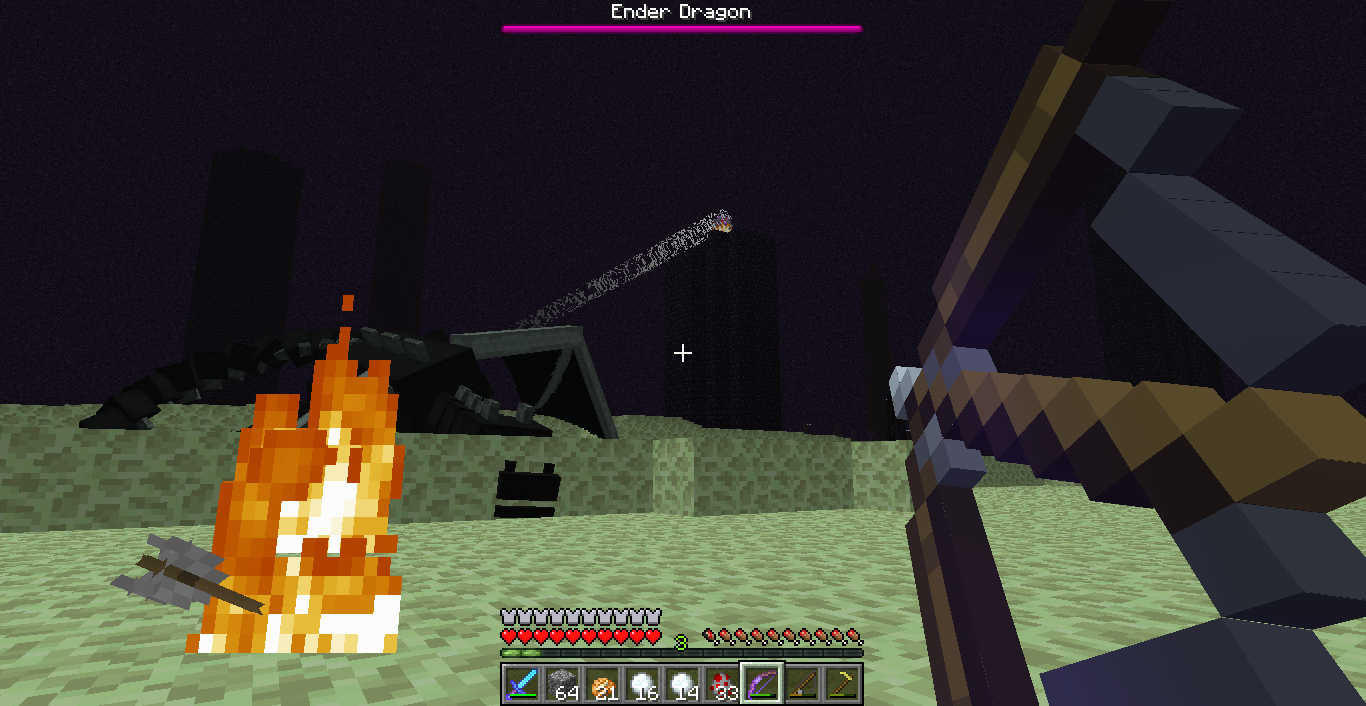
Cover image: Minecraft in-game screenshot (Mojang Studios), via the Minecraft Wiki.
More from us
Explore top posts
MythicMobs Custom Boss Tutorial for Survival Servers
Learn how to make a custom boss in Minecraft with MythicMobs: set stats, boss bars, phases, skills and drops, then test it on your survival server.
1 Nov 2026
How to Join a Java Server on Bedrock (Crossplay Guide)
Can Bedrock join Java servers? Yes, with GeyserMC. Learn how to add a server on Minecraft Bedrock, which port to use, and how to fix connection issues.
31 Oct 2026

Minecraft RPG Skills Server Guide: AuraSkills vs mcMMO
Looking for a Minecraft RPG skills server? See what AuraSkills is, how it compares to mcMMO, and how skills fit into AngelicCraft's fantasy survival.
30 Oct 2026

Minecraft 26.4 Ice Caves: Everything We Know So Far
Minecraft 26.4 Ice Caves explained: the new biome, Frostbite mob, Freezing effect and icicles from the snapshots, plus what we know about the release date.
29 Oct 2026
